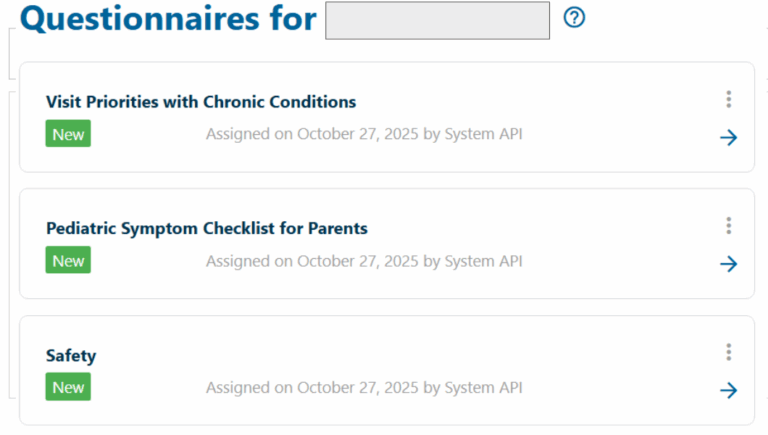
CHADIS is a web-based screening, diagnostic and management system that administers and analyzes pre-visit, online questionnaires completed by parents, teens or teachers. These questionnaires help your provider focus on your visit priorities and tailor their visit to any specific concerns or needs identified on the form. We ask that all parents complete these CHADIS forms before every Well Child Exam!
Starting October 2025, all CHADIS questionnaires can be accessed through your patient portal.
Step 1:
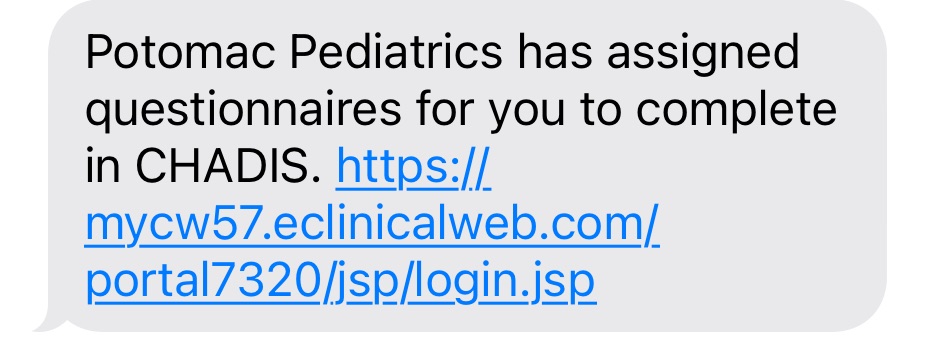
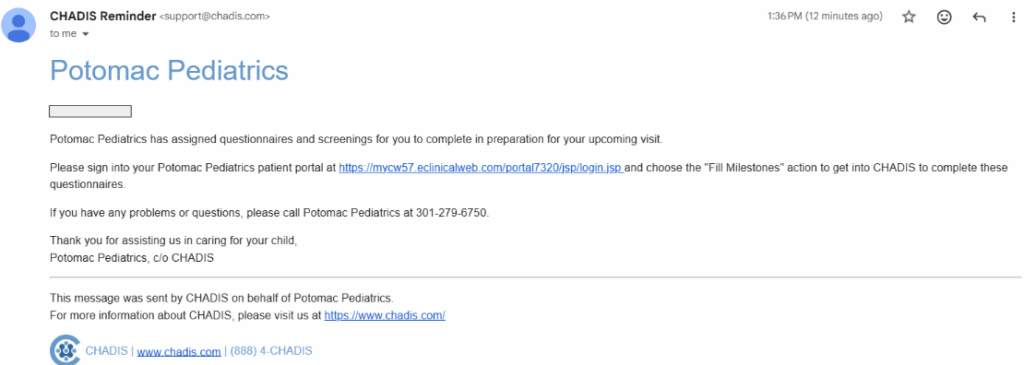
When your child’s Well Child Exam is scheduled, you will receive a text and/or email notification that questionnaires have been assigned for the visit.
Follow the link in these messages or login to your patient portal
Step 2:
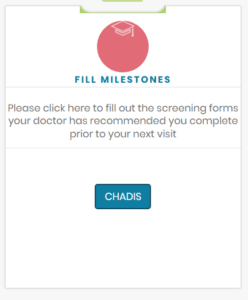
Locate and select the “Milestones” panel in your child’s patient portal
Step 3:
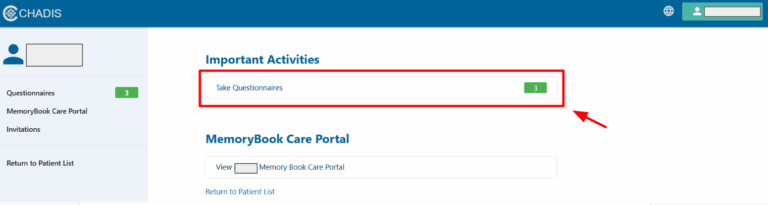
Follow the prompts to complete and submit any assigned questionnaires
Troubleshooting
If you cannot access your child’s patient portal, the questionaires may also be complete through CHADIS.com using the following steps:
Click the green REGISTER box in the upper right corner and follow the prompts to reach the registration page
The invitation code for Potomac Pediatrics is our phone number: 3012796750 (no parenthesis, slashes, dashes, or spaces)
Register a parent: Enter a parents personal information (not your child), create a password, review and agree to the terms of use, and click register
Register your child(ren): Enter your child(rens) personal information and demographics, click register
To complete a questionnaire:
Follow the link in the email/text reminder to www.CHADIS.com and Login to you account
Select the child from your family with an upcoming appointment. A green bubble will appear next to their name with the number of forms due to complete
You may be asked to select a provider. If you know the name of the provider you are scheduled for the Well Child Exam, click that provider. If you do not know, select any provider
At the top of the next page, click “take questionnaire”
Once you complete each form, click submit and they will be routed to your provider for review before your appointment!